
How to Play Paw Society: A Beginner’s Guide
Your first visit to town, from the sign-in screen to a home of your own.
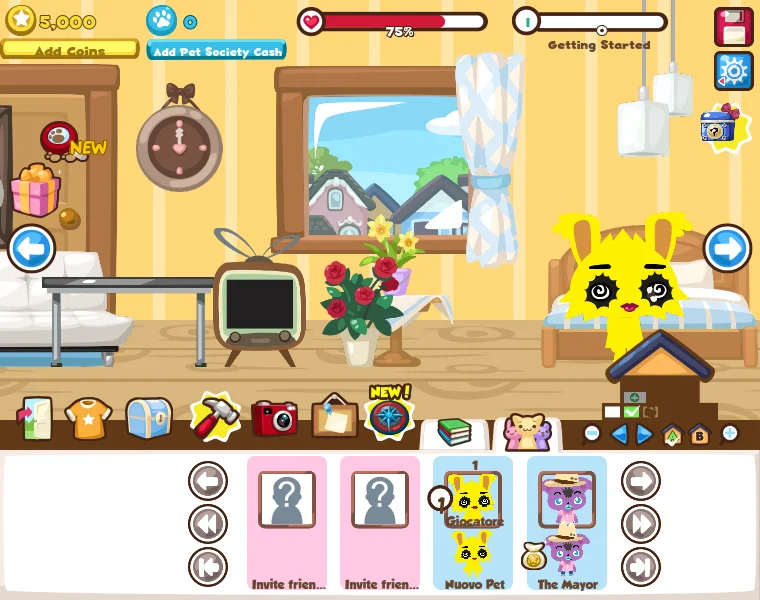
Start the game
Open the game on our homepage. The game loads inside the page, so you can keep this guide nearby. Paw Society uses a modern browser engine; you do not need Flash or a browser extension. The first visit downloads a large set of game files, so allow time for the progress bar to finish.
Create or sign in to a game account
The opening screen offers sign-in and account creation. Use your existing Paw Society account if you have one. New players can choose the account-creation option inside the game. The embedded game connects directly to game.pawsociety.app; your game credentials go to that service. This guide site does not create or manage game accounts.
Keep the account details you choose somewhere safe. A fresh Paw Society account starts a new game. The project does not restore the pet or inventory from the original Facebook Pet Society.
Meet your pet and settle in
Follow the game’s prompts to create your pet. Start by exploring its home and the available furniture. Pet Society’s familiar loop combines caring for a pet, dressing it, arranging its rooms and making visits around town. Let the interface introduce each activity before spending your currency.
Explore a little at a time
The town includes places for food, clothes, furniture and gardening, alongside activities such as the café, stadium and treasure digging. Start with the home and a shop, then branch out into a garden or a visit to a friend. The reconstruction is still evolving, so the options you see inside the game are the best guide to what is available today.
Make playing comfortable
A desktop or laptop gives the room and town interface more space. On a phone, try landscape orientation and the full-screen control. Tap or click an item to interact, and follow the controls shown by the game for individual activities. If typing does not work, click the game window first so it receives keyboard focus.
Keep your progress safe
Return with the same game account. Avoid clearing browser data while troubleshooting unless you understand what it removes. If you have an account problem, contact the game project through pawsociety.app. For a problem with this page or its embed, use our contact page.
Sources & image credits
Guide reviewed 31 October 2026. Screenshots are from the Paw Society project; game artwork belongs to its respective owners.